
Voice and text chat
Voice chat is proximity based: you hear the players near you, on both teams. Text chat goes to everyone, your team or your squad.
Voice
- Hold B to talk, or choose Open mic or Off in Settings, Audio, Voice chat.
- Voices are at full volume within 4 m and fade to silent at 50 m, from their side. Every voice plays at the same level, and Voice volume goes up to 500%.
- Voice has no echo cancelling yet, so use headphones with Open mic.
- The game opens your microphone only when you first use voice. Voice is passed on by the server and never recorded.
Text chat
T to everyone, Y to your team, U to your squad. Tab changes the channel and Enter sends. Words with profanity show as stars.
Muting a player
On the scoreboard or the end of round screen, each row has a speaker that lights while that player talks. Select it to mute them: it shows a slash, and your mutes are kept between games.
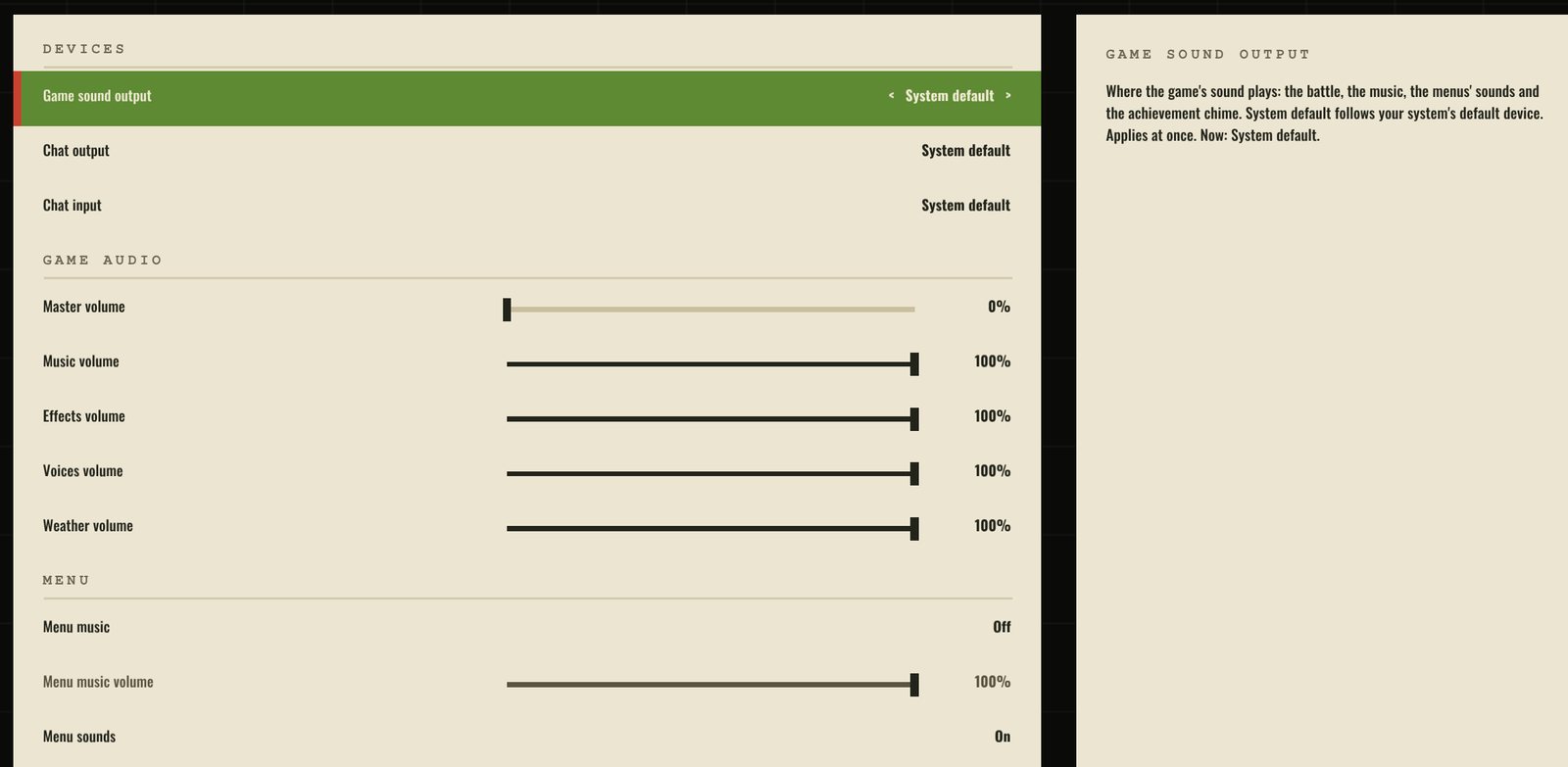
Choose your sound devices new in 0.4.8
Settings, Audio gets a Devices section at the top, with three rows:
- Game sound output: where the game, the menu music and the menu sounds play.
- Chat output: where you hear other players' voices, for example a headset while the game plays on speakers.
- Chat input: the microphone used for voice chat.
Each lists System default first, then your devices by name. A change applies at once, even in a match. If a chosen device is unplugged, the sound moves to the system default and comes back when the device returns. Nobody's sound changes unless they choose.
Ping on the scoreboard new in 0.4.8
The scoreboards show every player's ping at the far right of their row, measured by their own game. Bots show BOT there instead of a number.