
Play with friends
For a match with friends you do not need the server download. Custom Match on the main menu hosts a match on your own PC, online or on your LAN, with a password if you want one.
Host a Custom Match
Open Custom Match
On Home, choose CUSTOM MATCH.
Name it and set a password
Give the match a name your friends will recognise. A password is optional: with one, only people who know it can join.
Choose online or LAN, pick the map and play
Online matches can be reached from the internet. LAN keeps it to your own network. You are in the match as soon as it starts.
The new Custom Match page new in 0.4.8
In 0.4.8, Custom Match gets a page of its own, in three columns: your settings at the left, the chosen map with its game mode in the middle, and the rotation at the right, in the order it plays, with Host online and Host on LAN under it. LB and RB (Q and E) move between its two tabs, and it works with a controller, a mouse or the keyboard.
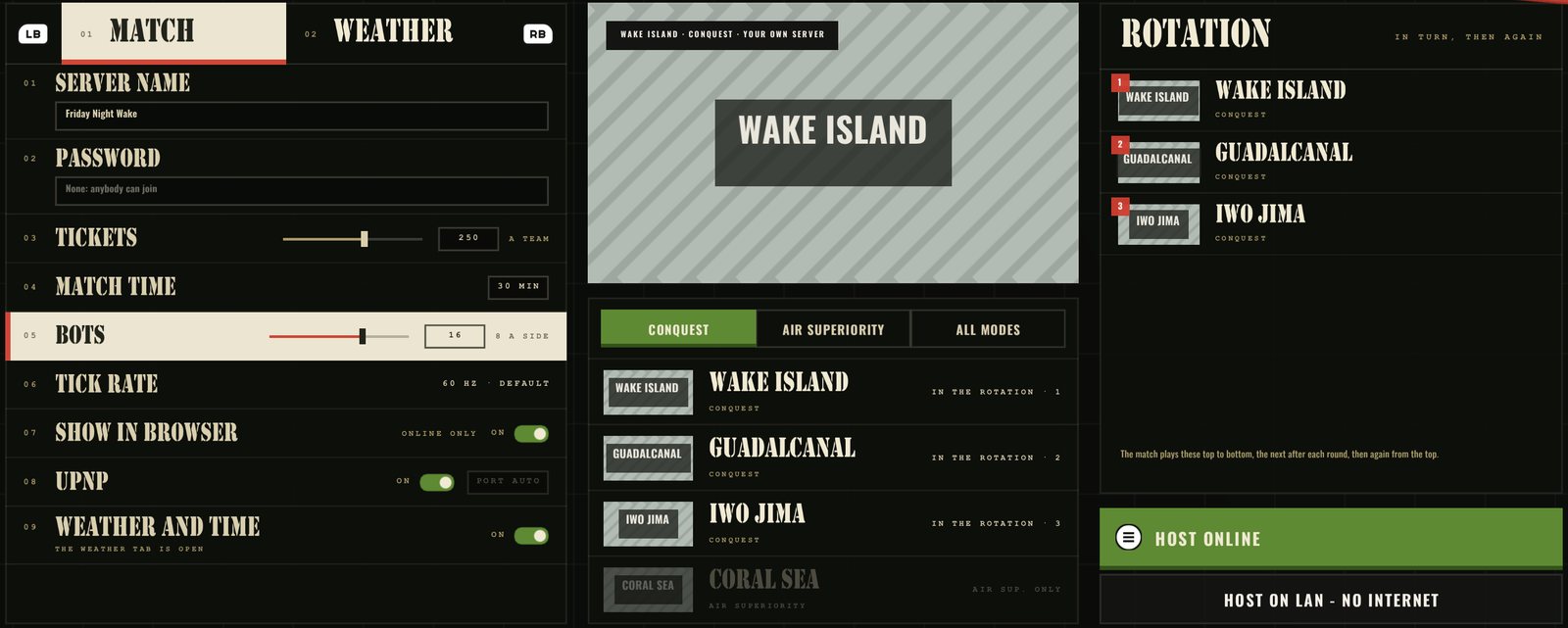
The Match tab
- Game mode: Conquest (Wake Island, Guadalcanal, Iwo Jima), Air Superiority (Coral Sea) or All modes.
- Map rotation: one map round after round, or the maps you tick, in turn.
- Tickets: each team's tickets, from 25 to 1000, or the map's own.
- Match time: off (tickets only, as in the original game) or a round limit from 5 to 120 minutes. When time runs out, the team with fewer tickets loses.
- Bots: none, or up to 24 computer players to fill the match, split between the sides. They sit out Coral Sea. See Bigger servers and bots.
- The server name, password, tick rate, port, Show in browser and UPnP, as before.
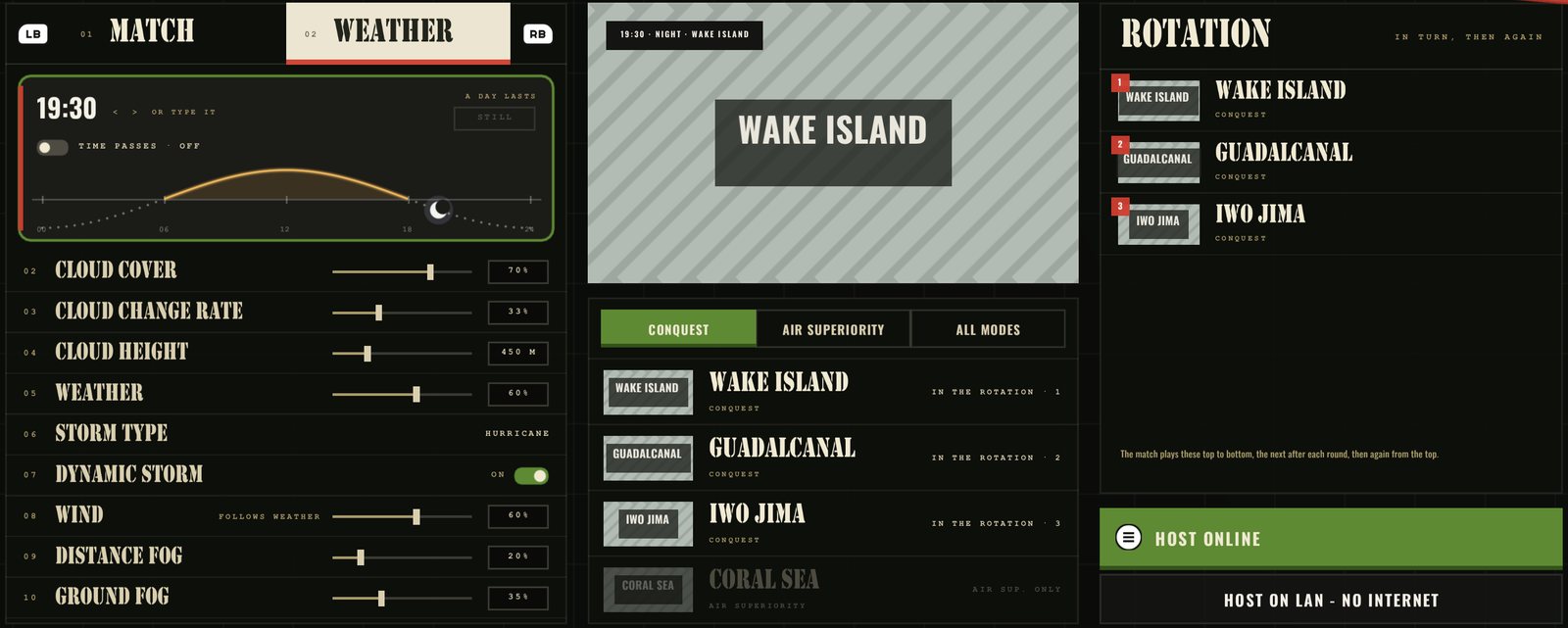
The Weather tab
Turn on Weather and time and the Weather tab sets the world of your match: the time of day and whether time passes, how long a day lasts, cloud cover and how fast the clouds change, the weather from fair to a storm, the storm type (a thunderstorm or a hurricane), a Dynamic storm that builds and eases over each round, distance fog, ground fog, wind and the cloud height. Everyone in your match sees the same sky. See Weather, sky and night.
As the host you are the match's admin: F9 in the match changes the time and weather while it runs.
How your friends join
- An online match shows in their Server Browser under Community. If it has a password, they are asked for it.
- On the same network, it shows under LAN. A LAN match brings its own backend: it needs nothing from the main backend.
- Or they use Direct Connect with your address, which you give them.
If friends cannot reach it
Friends outside your home reach your match on UDP port 18300. The game can ask your router to open it (UPnP). If your router does not allow that, open UDP 18300 to your PC in your router's settings. When you leave the match, it ends for everyone in it.
Want a server that runs all the time, for anyone, without your game open? That is what hosting is for.